In most cases, downloading a Facebook video you are allowed to watch, for your own offline viewing, is treated as low risk, and saving videos you made yourself is always fine. Using a Facebook video downloader does not change who owns the video, though. The creator keeps the copyright, so what you do with the copy afterwards is what decides whether you stay on the right side of the law.
In other words, the line runs between keeping and reusing. You can keep your own uploads, watch a public clip on a flight or show it to your family on your own screen. You can't re-upload someone else's video as your own, put it in an ad, sell it or monetize it without the creator's permission, and you can't pass a friends-only video to people the owner never chose to share it with.
Meanwhile, Meta's Terms of Service and copyright law are two different things. The Terms are a contract between you and Meta, and breaking them can cost you your account. Copyright is the law of the country you live in, and breaking it can lead to a takedown or a legal claim from the person who owns the video.
Below, this guide goes through who owns a Facebook video, what you can and can't do with a downloaded copy, what Meta's Terms actually say, how fair use works in the United States, where private videos fit and how to download the right way. It explains general principles only and is not legal advice, so for a specific situation, talk to a lawyer where you live.
Is it legal to download Facebook videos?
Generally yes, when the video is yours or when you download a video you can already watch only to view it yourself offline. It becomes a legal problem when you copy, share or profit from someone else's video without permission.
In practice, three things decide which side of that line a download falls on. The first is ownership: a download gives you a file, not the rights to the video inside it. The second is use: watching privately is very different from posting the clip to your own Page. The third is place: copyright law is national, so the exact limits depend on where you live.
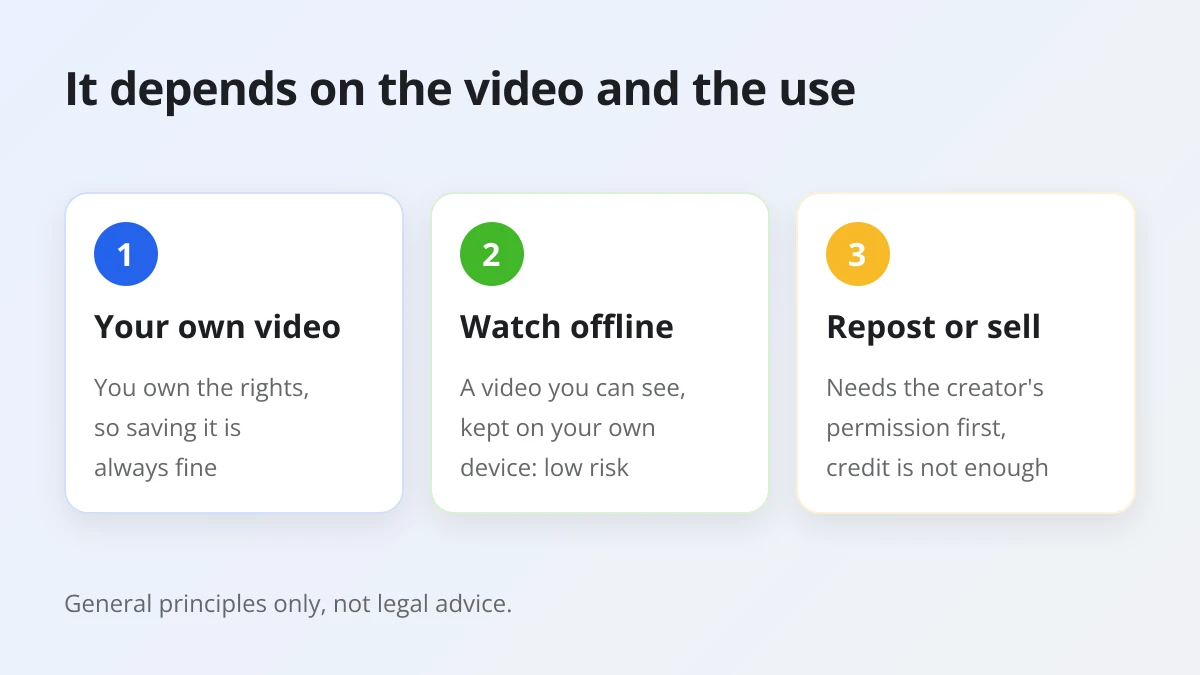
Specifically, a download for personal viewing does not compete with the creator. Nobody loses views or income because you watched a cooking clip again on a train without signal. A re-upload does compete: it can pull views away from the original post, and it presents someone else's work as yours. That difference is why lawyers, platforms and creators all treat "I saved it to watch later" and "I posted it on my channel" so differently.
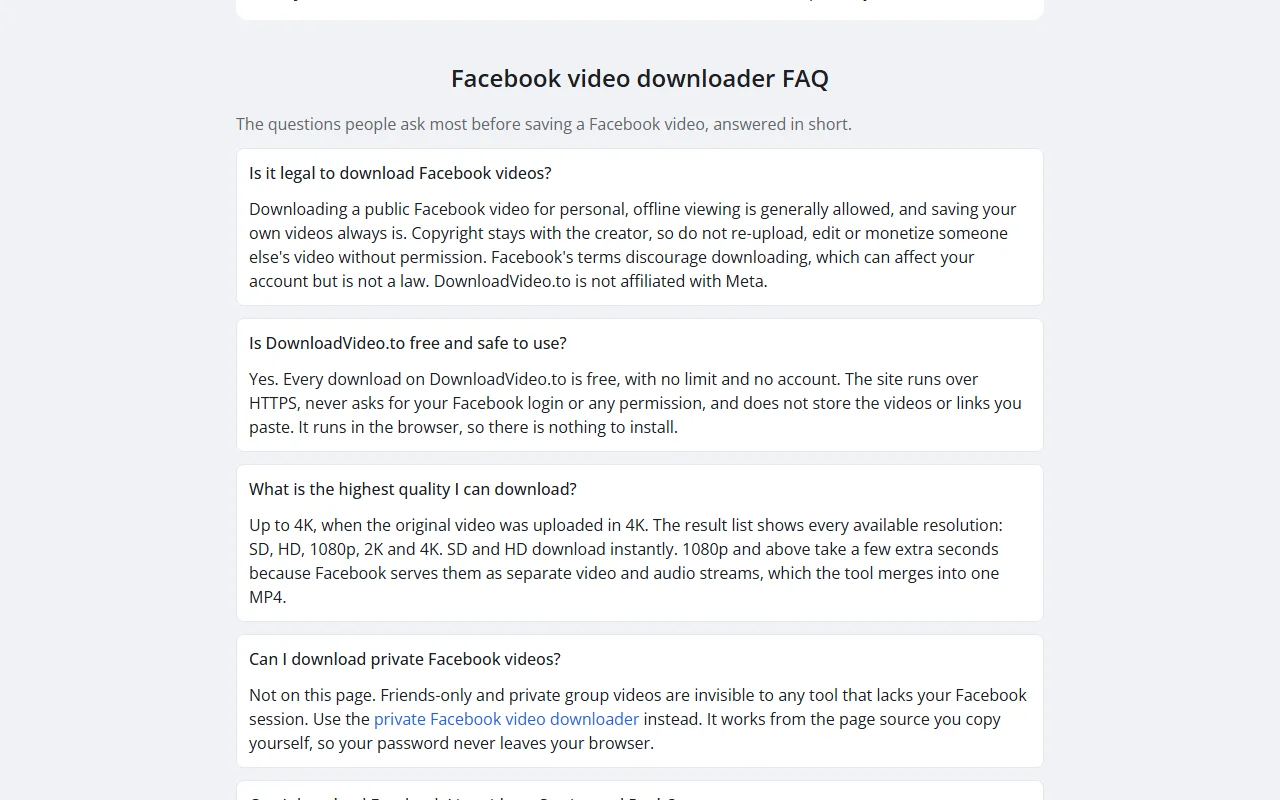
DownloadVideo.to follows the same line on its own pages. The answer on the home page says that downloading a public Facebook video for personal, offline viewing is generally allowed, that saving your own videos always is, and that you should not re-upload, edit or monetize someone else's video without permission. DownloadVideo.to is not affiliated with Meta.
Who owns the copyright in a Facebook video?
The person who created the video owns the copyright, not Facebook and not the person who downloads it. Meta's Terms of Service state that users keep ownership of the intellectual property rights in content they create and share.
To be more specific, section 3.3.1 of the Meta Terms of Service says you "retain ownership of the intellectual property rights (things such as copyright or trademarks) in any such content that you create and share on Facebook." The same section gives Meta a license to host and show that content, which is how Facebook can play the video to other people. Nothing in that arrangement passes any rights to viewers.
As a result, a downloaded file is a copy of someone else's property. Holding the file is a bit like owning a printed photo of a painting: you have the paper, but the artist still controls copies, prints and sales. Keep that picture in mind and most of the questions below answer themselves.
There is one more owner to think about. A video often contains other people's work, such as a song playing in the background or a clip from a TV show. The person who posted it may not own those parts either, so even their permission does not always cover everything in the frame.
Does the answer change depending on where you live?
Yes, because copyright law is national. Each country sets its own rules on personal copies, exceptions and penalties, so the same download can be treated differently in the United States, the United Kingdom, India or Brazil.
For instance, some countries have a written exception for private copies, while others rely on broader doctrines such as fair use in the United States. The details, including whether an exception covers a copy made from an online source, vary from one law to the next. This article does not try to summarize every country, because a short summary of a foreign law is more likely to mislead than help.
So, if your plan goes beyond watching a clip yourself, for example using it in a school project that will be published, in a client video or in a news report, ask a lawyer who practices in your country. A short consultation costs far less than a takedown or a claim, and only a professional who knows your facts can tell you whether a specific use is allowed.
What can you do with a downloaded Facebook video?
You can safely do four things with a downloaded Facebook video: keep your own videos, watch videos you can access offline, use a video with the creator's permission and share the original link instead of the file.
To make those four uses concrete, the table below lists each one with the reason it is generally accepted and the condition that keeps it that way.
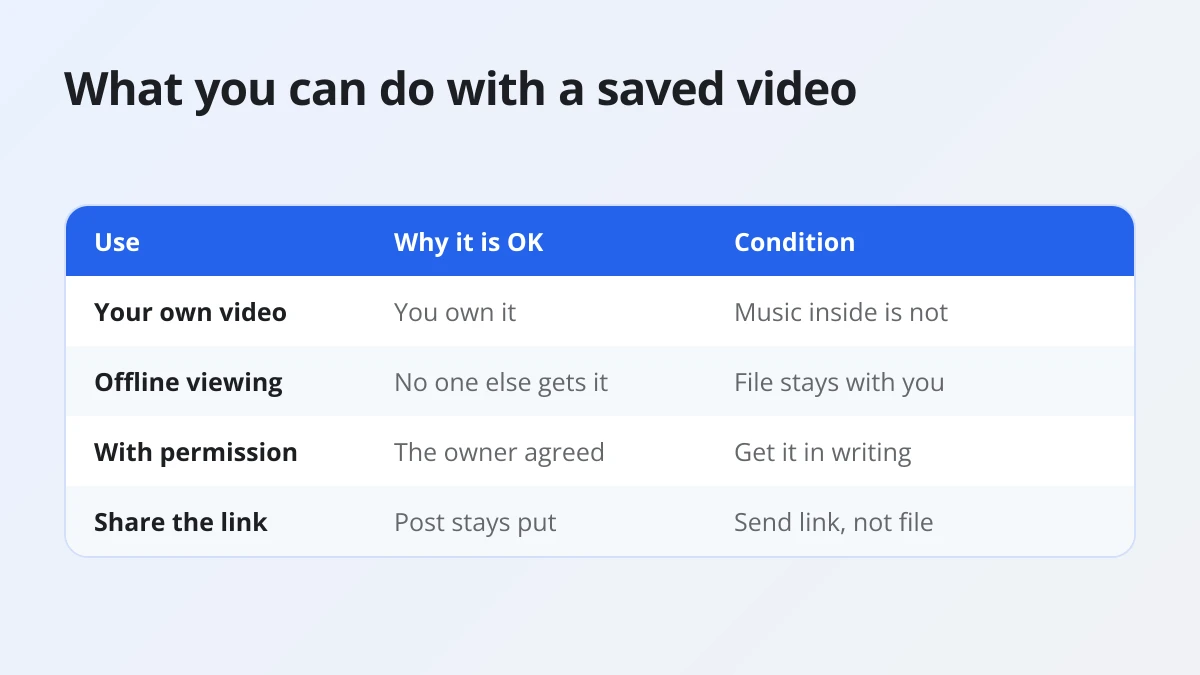
| Use | Why it is generally accepted | Condition |
|---|---|---|
| Your own videos | You own the copyright | Other people's music or footage inside still belongs to them |
| Personal offline viewing | No copy reaches anyone else | The file stays on your own devices |
| Use with permission | The owner agreed | Keep the permission in writing and stay within it |
| Sharing the original link | The post stays where the owner put it | Share the Facebook link, not the file |
Here is what each one looks like in daily life.
- Your own videos. Clips you filmed and uploaded are yours, so you can save them, back them up, edit them and post them anywhere. This is the most common reason people download from Facebook in the first place: the original was deleted from a phone, and the Facebook post is the only copy left.
- Personal offline viewing. Saving a public tutorial before a flight or keeping a family video you were tagged in so you can watch it without data stays inside your own home. Nobody else receives a copy, and the creator loses nothing.
- Use with the creator's permission. If you want to put a clip in a presentation, a compilation or a client project, message the creator and ask. A short written yes that says where and how you will use the video is the cleanest protection you can have.
- Sharing the original link. When you want friends to see a video, send the Facebook link or use Share. The view counts for the creator, the post keeps its caption and credit, and the owner can still delete it if they change their mind.
All four have something in common. Either the rights are yours, or the copy never leaves your hands, or the owner said yes. When a use does not fit one of those three patterns, it belongs in the next list.
What can't you do with someone else's Facebook video?
You can't re-upload, monetize, sell, edit and repost, or spread someone else's Facebook video beyond its original audience without permission. Each of these uses takes the creator's work out of their control, which is exactly what copyright protects.
To spell it out, these are the uses that most often lead to copyright claims, takedowns and account penalties.
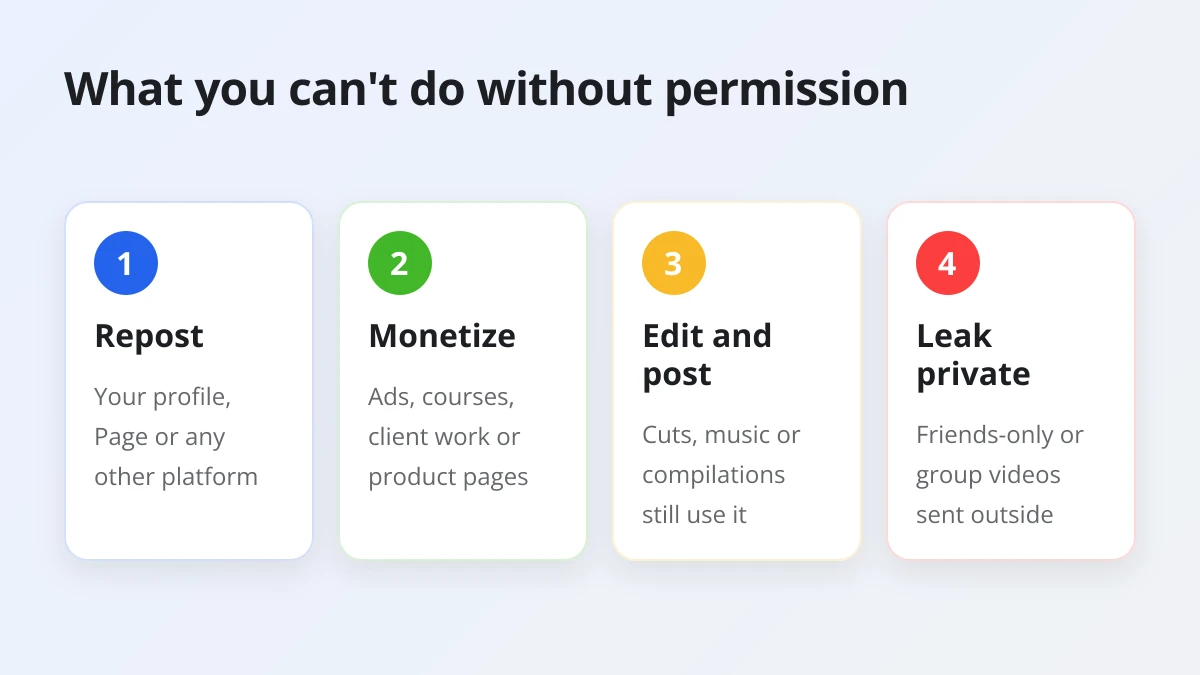
- Re-uploading it as your own. Posting the file to your profile, Page, Reels or another platform makes a new public copy. Even with a caption that names the creator, it can pull views away from the original and is a classic reason for a copyright report.
- Monetizing it. Running ads on it, adding it to a monetized channel or using it to grow a Page you earn from turns someone else's work into your income.
- Selling it or using it in marketing. Putting a clip in a paid course, an ad, a product page or a client deliverable is commercial use. It needs a license or written permission, without exception.
- Editing it and posting the result. Cutting, adding music, reacting over it or mixing it into a compilation still uses the original footage. Whether a transformed version is allowed is a legal question, not something a filter or a few seconds of commentary settles.
- Spreading a private video. A friends-only or private group video was shared with a chosen audience. Forwarding the file to people outside that audience can breach the poster's privacy as well as Meta's Terms.
- Removing the creator's name or watermark. Cropping out a logo or a name hides who made the video, so the copy looks like your own work, which is exactly what creators report.
One myth deserves a direct answer: giving credit is not the same as getting permission. Tagging the creator is polite and you should do it whenever you share their work with their consent, but a credit line on its own does not grant you any right to copy, post or sell the video. If you are not sure, ask first.
Is downloading Facebook videos against Meta's Terms of Service?
Not in so many words. Meta's Terms do not contain a sentence about saving a single video to watch yourself, but they forbid automated data collection without permission, accessing data you have no permission to access and sharing anything that infringes someone else's rights.
That said, the Terms and the law work at different levels. The Terms are an agreement between you and Meta about how you use Facebook. Breaking them is a matter between you and Meta, and the main consequences are about your account. Copyright law is separate and applies whether or not you have a Facebook account at all.
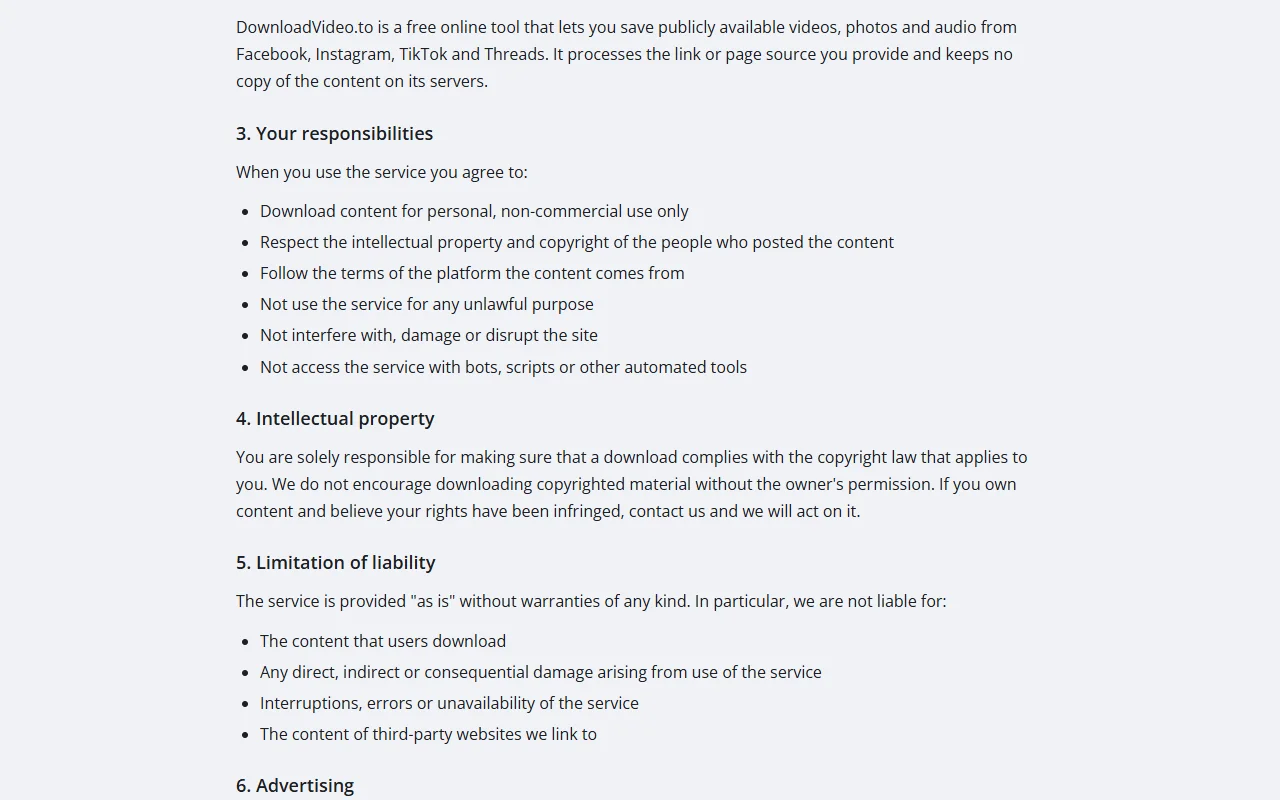
What do Meta's Terms say about collecting content?
Meta's Terms forbid collecting data by automated means without permission, trying to access data you are not allowed to see and sharing content that infringes someone else's rights, including copyright.
Specifically, section 3.2 of the Terms, titled "What you can share and do on Meta Products," says: "You may not access or collect data from our Products using automated means (without our prior permission) or attempt to access data that you do not have permission to access." The same section rules out doing or sharing anything that "infringes or violates someone else's rights, including their intellectual property rights."
Read together, these lines point in a clear direction. Bulk scraping, bots that harvest videos and any attempt to reach videos you are not allowed to see are on the wrong side. Re-sharing a downloaded video in a way that infringes the creator's copyright is on the wrong side too. A person who saves one video they can already watch, to view it themselves, is not what those sentences describe, but Meta interprets its own Terms, so treat that as a reading of the text and not a promise.
DownloadVideo.to sets similar ground rules. The DownloadVideo.to Terms of Service ask you to download content for personal, non-commercial use only, to respect the intellectual property of the people who posted it, to follow the terms of the platform the content comes from and not to use bots or scripts on the service. They also make you responsible for checking that a download complies with the copyright law that applies to you.
What can happen to your account if you break Meta's Terms?
Meta can suspend or permanently disable your access and can delete your account if it decides you clearly, seriously or repeatedly breached its Terms or Policies. Those are account consequences, separate from any legal claim by the video's owner.
In detail, section 4.2 of the Terms says that if Meta determines, in its discretion, that you have "clearly, seriously or repeatedly breached our Terms or Policies," it "may suspend or permanently disable your access to Meta Company Products," and may "permanently disable or delete your account." The decision is Meta's, which is why the safest habit is simple: do not post other people's videos as your own.
On the other hand, the copyright owner has their own tools. A creator who finds their video re-uploaded can report it to Facebook, and a report can lead to the post being removed and to penalties on the account that posted it. A creator can also take the matter further under the law of their country, which is where a lawyer becomes essential for both sides.
What is fair use, and does it cover Facebook videos?
Fair use is a United States legal doctrine that permits some unlicensed uses of copyrighted work, judged case by case on four factors. It can cover commentary or criticism of a Facebook video, but it is never automatic.
To understand why it is not automatic, look at how the U.S. Copyright Office describes it. Its fair use overview calls fair use "a legal doctrine that promotes freedom of expression by permitting the unlicensed use of copyright-protected works in certain circumstances," and lists four factors that courts weigh.
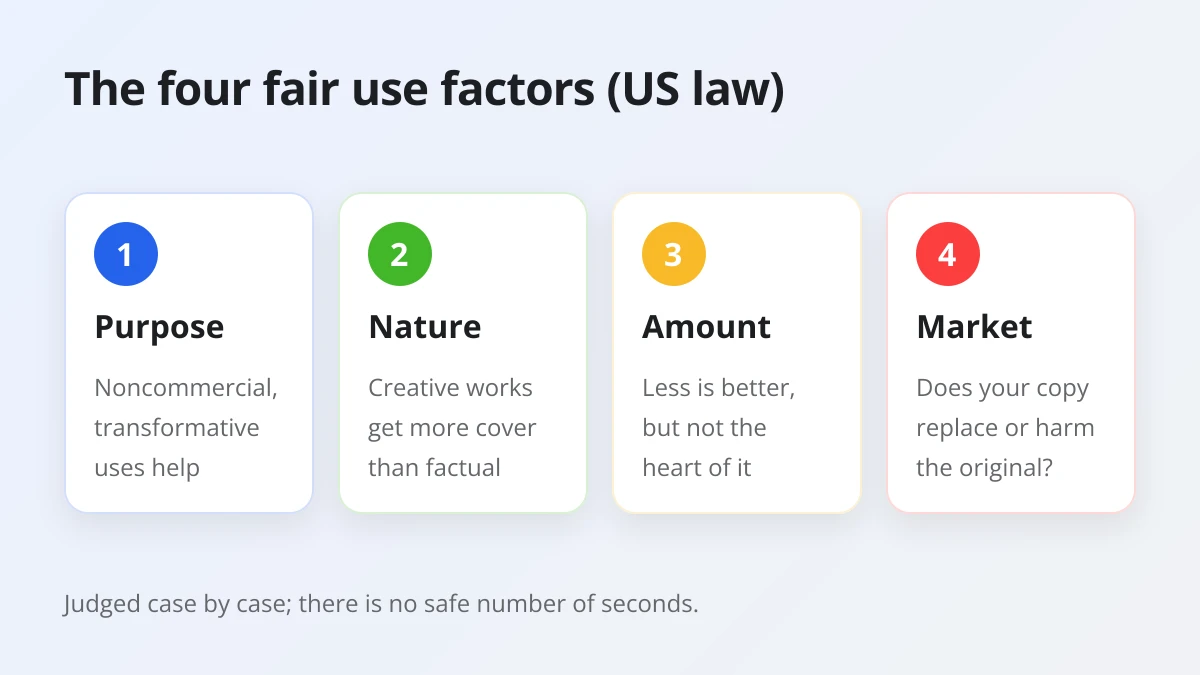
- The purpose and character of the use. Courts are more likely to find noncommercial and educational uses fair, and they favor transformative uses that add something new and do not substitute for the original. A straight repost does neither.
- The nature of the copyrighted work. Using a creative work, such as a movie or a song, is less likely to be fair than using a factual one, such as a news item.
- The amount and substantiality of the portion used. Using a small part leans toward fair use and using a large part leans against it, although even a short excerpt can be unfair if it is the heart of the work.
- The effect of the use on the potential market for the work. Courts look at whether the use harms the existing or future market for the original, so a copy that people watch instead of the creator's post works against you.
Importantly, the Copyright Office stresses that courts decide each claim case by case and that there is no formula giving a set percentage, amount or number of copies you may use without permission. The popular idea of a "safe" number of seconds is a myth. Nothing in the four factors turns on a credit line alone either, so tagging the creator is courteous but is not the same as permission.
Keep two limits in mind. Fair use is a concept from US law, and other countries use different exceptions that may be narrower. And it is a defense that gets weighed after a dispute starts, not a permission you get in advance. If you plan to build a video around someone else's footage, a lawyer can tell you how the four factors are likely to apply to your project.
Is it legal to download private Facebook videos?
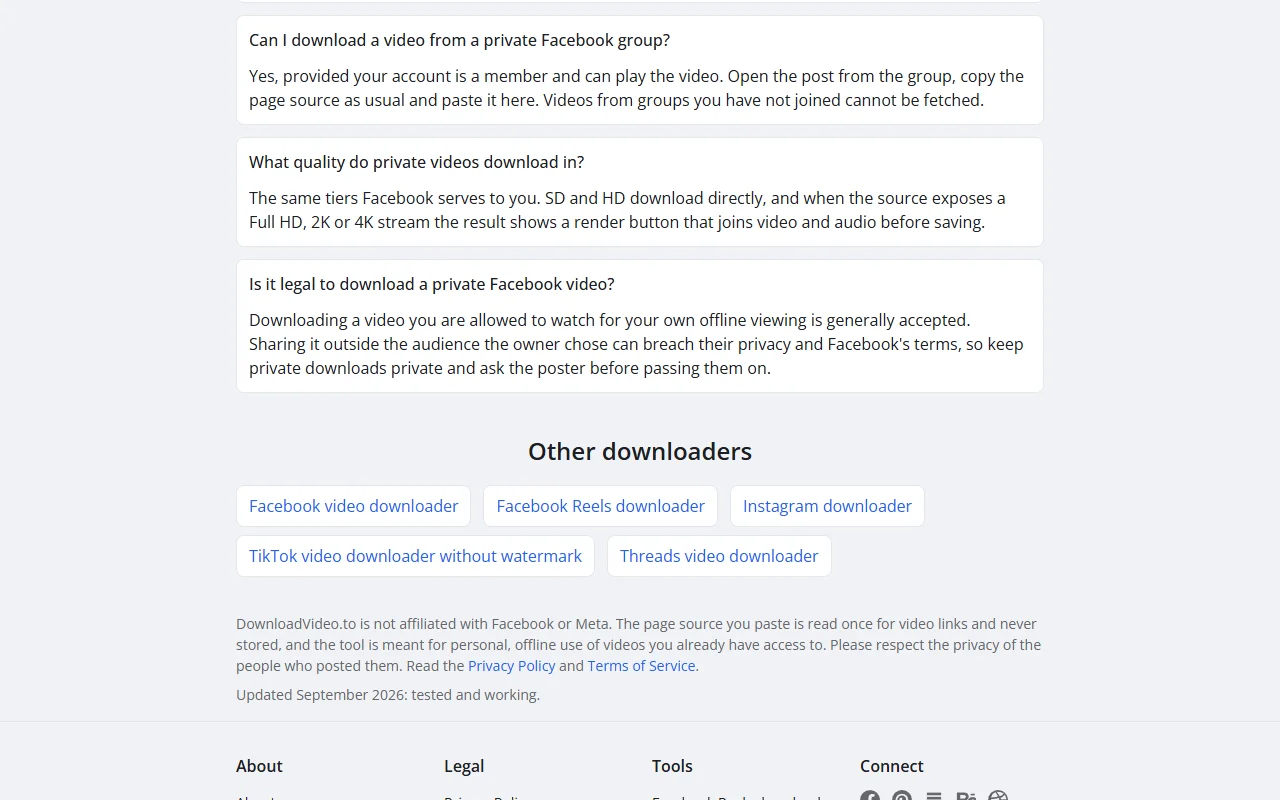
It is generally accepted only when your own account can already watch the video and the copy stays with you for offline viewing. Sharing it outside the audience the owner chose can breach their privacy and Meta's Terms.
From a privacy angle, private videos carry an extra layer that public ones do not. A friends-only post or a private group video was shared on purpose with a limited circle. The person who posted it trusted that circle, so the copy you keep should stay inside it. Do not forward it, repost it or show it to people the owner did not include, and ask the poster before passing it on in any form.
Technically, a private video is shown only to accounts the owner allowed, so a plain link from someone who is not in that audience hits a login wall. That is also why there is no legitimate way to reach a video your account cannot play. Any tool or method that claims to open videos you are not allowed to watch is trying to get around the owner's choice and falls under the Terms language about accessing data you have no permission to access.
For videos you can watch, you can download private Facebook videos with the page-source method. You paste the video link, open the view-source link the page generates, copy the whole page source and paste it back, then press Download video. Your password never reaches the site, and the pasted source is read once for video links and then discarded. The method works in Chrome, Edge and Firefox on a computer or an Android phone, while Safari on iPhone cannot open view-source links. Group videos work only when your account is a member and can play the video.
How do you download Facebook videos the right way?
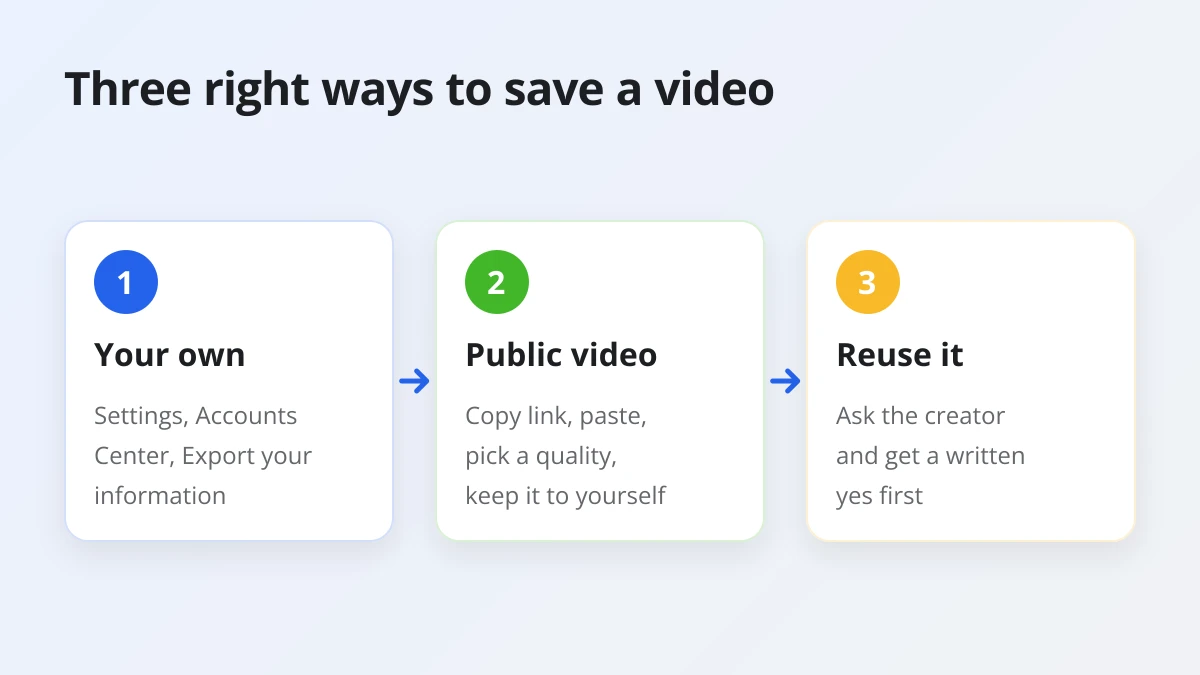
The right way uses three routes: export your own videos from Facebook's settings, save a public video you can watch by pasting its link into a browser tool for personal viewing and ask the creator before reusing anything.
To start with the simplest case, your own uploads do not need a third-party tool at all. Facebook's Help Center describes an "Export your information" option: go to Settings and privacy, then Settings, open Accounts Center, choose Your information and permissions, then Export your information and Create export. You can pick the kinds of information to include and the quality of media files such as photos and videos. It is the cleanest way to back up everything you have posted.
Save a public video for personal viewing
For a public video you want to watch offline, the browser route is quick and keeps your account out of it. DownloadVideo.to is free with no daily cap, needs no login and no app and does not store the videos or links you paste.
- Copy the link. In the Facebook app, tap Share on the video and choose Copy link. On a computer, click Share and then Copy link.
- Paste it on DownloadVideo.to. Tap Paste in the box at the top of the page and click Download Video. The available qualities appear in a few seconds.
- Pick a quality and save. SD and HD download instantly. 1080p, 2K and 4K appear when the original has them and take a few extra seconds while video and audio are merged into one MP4. You can also keep only the audio as an MP3.
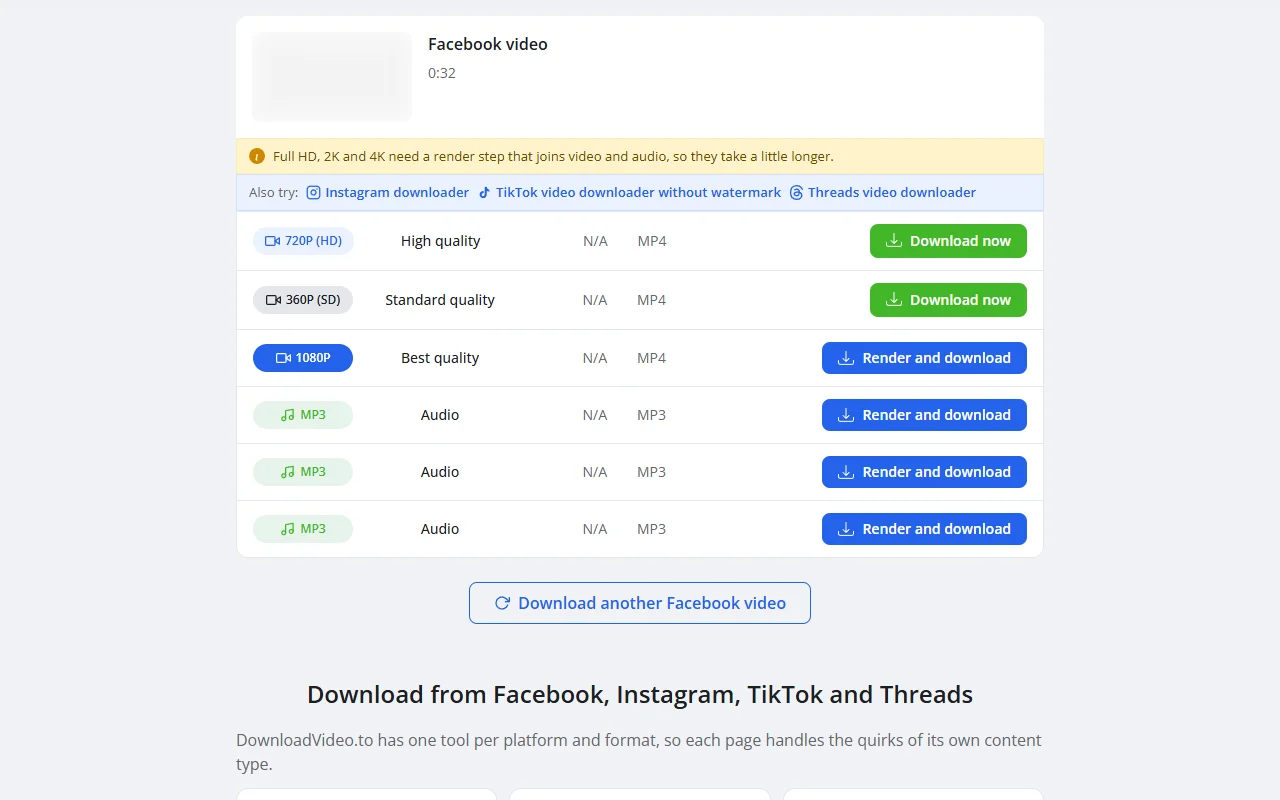
The exact taps differ a little by device. On a phone, the walkthrough on saving a Facebook video on an Android phone shows where the MP4 lands and how to find it in Gallery. On a computer, the guide to downloading Facebook videos on a Windows PC covers the browser steps and the Downloads folder.
Ask before you reuse
When a video is going anywhere beyond your own screen, permission comes first. A short message works well: say who you are, which video you mean, where you want to use it, for how long and whether the use is commercial. Ask for the yes in writing, keep the message and credit the creator the way they ask.
If the creator does not answer, treat that as a no. Share the original post instead, or find footage you are licensed to use. And if you own a video and believe your rights have been infringed through DownloadVideo.to, write through the contact page and the team will act on it.
What else should you know about Facebook video copyright?
Does Facebook own the copyright to videos posted on it?
No. The person who creates a video keeps the copyright, and Facebook receives a license to use it. Meta's Terms say users retain ownership of the intellectual property rights in content they create and share.
In exchange for hosting and showing your posts, you give Meta a "non-exclusive, transferable, sub-licensable, royalty-free and worldwide" license to use that content, as section 3.3.1 of the Terms describes. Non-exclusive means you can still license the same video to anyone else. That license lets Meta display the video to the audience you chose. It does not give other users any rights to copy or reuse it, which is why the creator remains the person to ask.
Is screen recording a Facebook video treated differently from downloading it?
No. Screen recording and downloading both create a copy of the video, so the same copyright rules apply to the result. What matters is whose video it is and what you do with the copy, not which method made it.
A screen recording is usually lower in quality and can capture notifications or other people's names on the screen, so it carries a small privacy risk of its own. If a recording or a download is only for you, the same personal-use reasoning applies. If you plan to post it, you need the same permission.