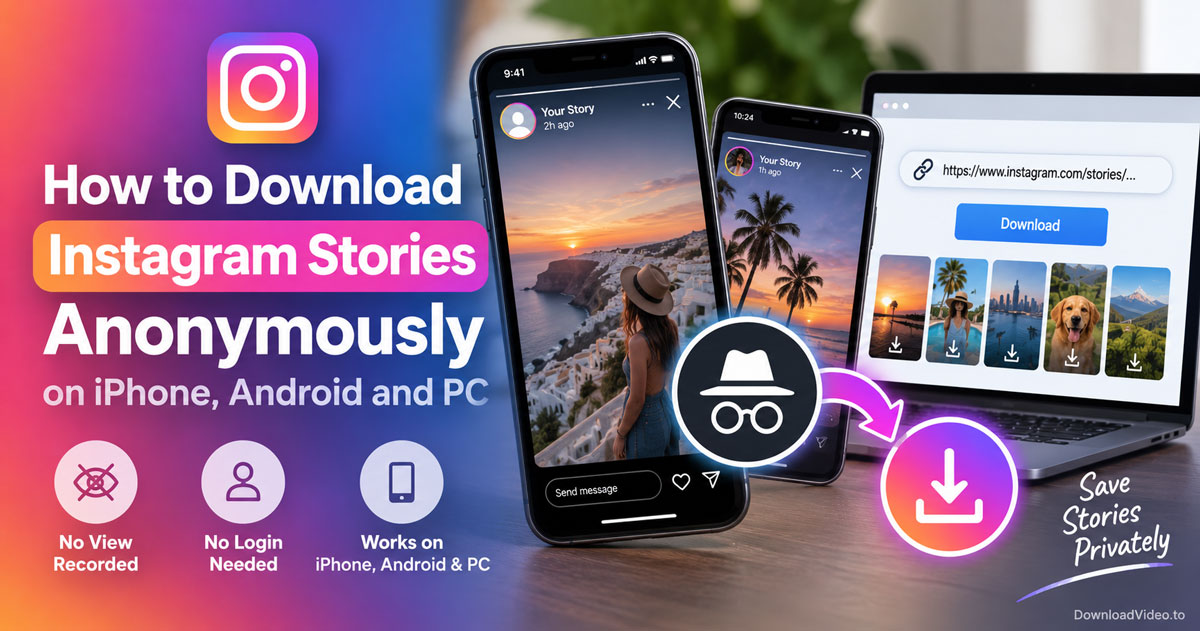
You can download Instagram Stories anonymously by pasting the Story link into a browser downloader that never signs in to Instagram. The tool fetches the photo or video from its own side, so the download adds nothing to the poster's viewer list.
Whether the poster sees your name depends on how you obtain the link. Instagram records a view the moment an account opens a Story, so the link has to come from a shared message or a secondary account rather than your main profile.
The method reaches public accounts only, and a live Story lasts 24 hours. This guide covers the steps on iPhone, Android and PC, Stories versus Highlights, and the airplane mode trick.
Can you download Instagram Stories without the poster knowing?
Yes, you can download Instagram Stories without the poster knowing, because a browser tool needs no Instagram login, fetches the media without opening the Story in any account, and Instagram only lists viewers who opened the Story logged in.
Those three points decide whether a download stays anonymous, so it helps to see where the poster could ever notice you. Instagram builds the viewer list from accounts that open a Story in the app or on the website. The Instagram downloader never uses an account, so it cannot appear in that list, and Instagram sends the poster no alert when a file is saved.
The one place you can slip is the link. If you open the Story from your own profile to copy its link, that opening counts as a view, and your name shows up regardless of what you do next. Get the link another way and the whole process stays invisible.
How to download Instagram Stories anonymously in 3 steps
Getting the Story link without opening it on your main account, pasting it into the browser tool and tapping Download saves the Story as an MP4 or JPG in three steps, with no app and no login.
The three steps below work on iPhone, Android and PC, and the first one is the only step that needs care.
Step 1: Get the Story link without a view. A Story link looks like https://www.instagram.com/stories/username/1234567890/. Someone who already watched the Story can send it to you through Share and then Send to or Copy link in the Story's menu. A secondary account that the poster does not know works the same way: open the Story there, tap the three dots and choose Copy link. On a computer, the same address appears in the browser bar while the Story plays. Highlights on a profile have their own link that stays valid for months.
Step 2: Paste the link into the browser tool. Open DownloadVideo.to in Safari, Chrome or any desktop browser, tap the input box, choose Paste and press Download. The Story loads in a few seconds as long as the account is public and the Story is still live.
Step 3: Save the file. Tap Download under the video or photo. On iPhone, the file goes to the Files app under Downloads, and Share followed by Save Video or Save Image moves it into Photos. Android puts it in the Downloads folder, and a PC saves it to the browser's Downloads directory.
Once saved, the Story stays on your device after Instagram removes it from the profile 24 hours later.
Why does your name stay off the viewer list?
Your name stays off the viewer list because Instagram attaches a view to an account, and a browser downloader makes its request with no account at all, so there is no identity for Instagram to record.
The viewer list is the only signal the poster has, so it is worth understanding how Instagram fills it. Each time a logged-in account opens a Story, Instagram logs that account and shows it to the poster for as long as the Story is live, and for a short time in the archive afterwards. The downloader talks to Instagram the way an anonymous visitor does. It reads the public media file behind the link and passes it to your browser, and DownloadVideo.to does not keep the file or the link once the download finishes.
This also explains why the tool cannot reach private accounts. Instagram serves a private Story only to approved followers who are logged in, and a tool without an account has no way to qualify. A private profile returns a notice instead of a file.
That covers the anonymous download itself. The next section looks at where a link-based tool differs from the username-based viewers that fill the search results, and at the situations where anonymity ends.
Story link vs username: how do anonymous tools differ?
A link-based downloader returns the original file from one Story you already have the link for, while username-based viewers show every current Story of a public profile but often serve a compressed copy behind ads.
The table below compares the two approaches on the points that matter for an anonymous download.
| Approach | Input needed | Anonymous | File quality |
|---|---|---|---|
| Link-based browser tool | Story or Highlight link | Yes, no login | Original video or photo |
| Username-based viewer sites | Public username only | Yes, no login | Varies, often compressed |
Live Story vs Highlight: which one can you save later?
A Highlight can be saved at any time, while a live Story must be downloaded within 24 hours of posting. Highlights sit on the profile with a permanent link that the browser tool accepts, so they are the easier target when you missed the 24-hour window. A Story that has expired and was never added to a Highlight cannot be recovered by any tool.
Public vs private account: where does anonymous download stop?
Anonymous download stops at private accounts. A public account serves its Stories to anyone with the link, which is what makes the browser tool work. A private account only shows Stories to approved followers, so the tool returns a private-account notice and any site that claims to view private Stories anonymously is either asking you to log in or simply not delivering.
Frequently asked questions
How to download insta stories without knowing them?
Get the Story link from a shared message or a secondary account, paste it into a browser downloader such as DownloadVideo.to and tap Download. The tool never logs in, so the poster sees no view and gets no notification.
Is it possible to view Instagram stories anonymously?
Yes, for public accounts. Downloading the Story through a browser tool lets you watch the saved file without ever opening the Story on your own account, so no view is recorded against your name.
Does the airplane mode trick work on Instagram stories?
Only sometimes. Instagram preloads a few Stories, and opening them in airplane mode delays the view, but the app usually sends the pending view once you reconnect. Treat it as unreliable rather than as a real anonymous method.
How do I download someone else's IG stories?
Copy the link of their Story or Highlight, paste it into the browser tool and press Download. The account must be public, and a live Story has to be saved within 24 hours of posting.
How to view someone's Instagram story without it showing?
Avoid opening the Story from your own account. Use a link that a friend sent you or a secondary account to copy the Story link, then download the file through the browser tool and watch it from your device.